
Free Chama App for Friends, Family & Groups. Chama in your WhatsApp!
Kikundify Chama App by Kikundify Capital allow you to enjoy paperless Merry-Go-Round, group goal savings, welfare contributions, and issue loans to members.


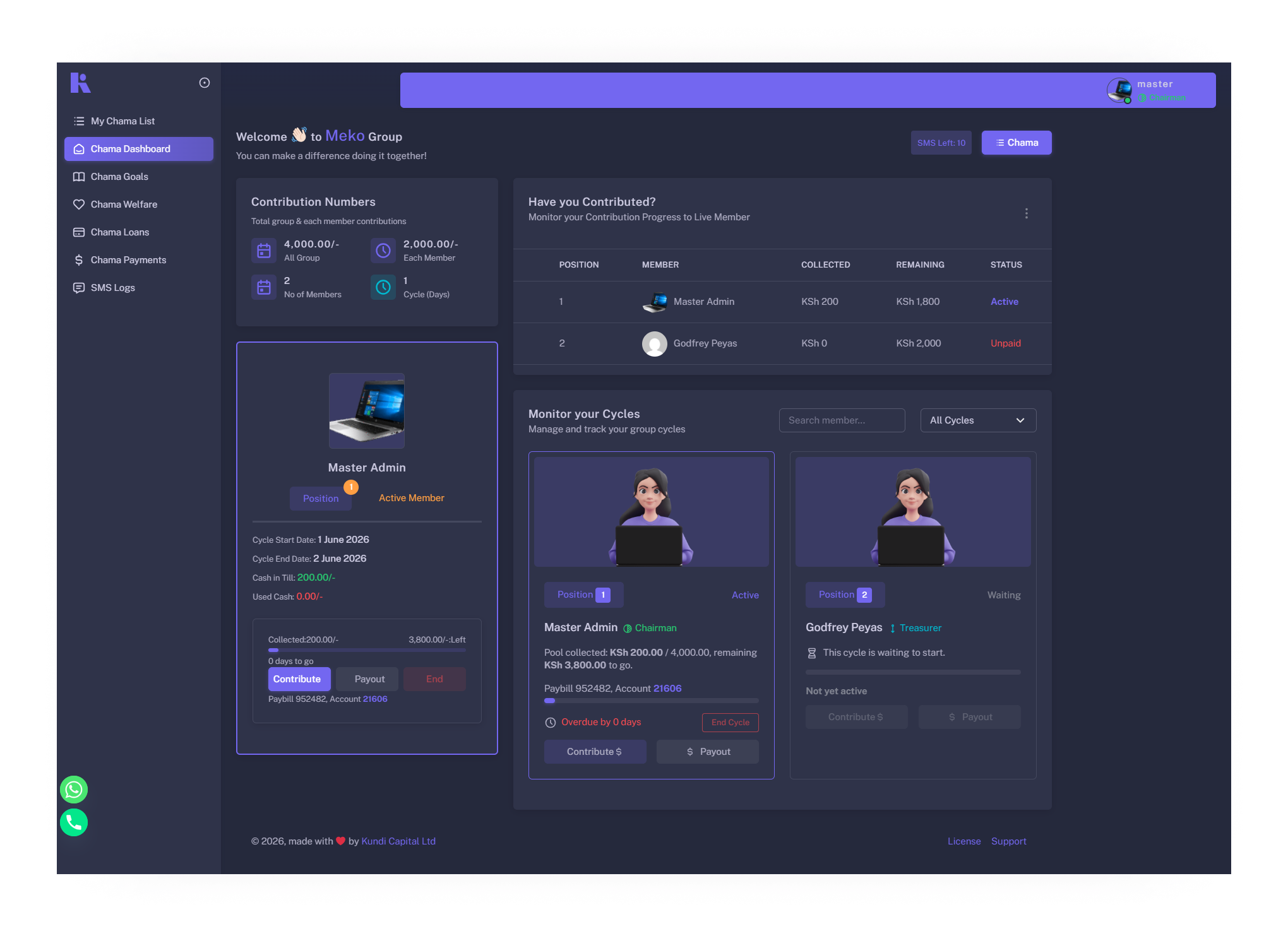

Everything you need  to run your chama digitally
No more paper records or missed contributions – manage everything from your phone.
Chama Meets WhatsApp
How Kikundify WhatsApp Works

Kikundify WhatsApp in 3 Steps
Its very simple, just say "hello" on our WhatsApp
Create
your Chama and add Members
Create Account
Members
enjoy Chama in WhatsApp.
Pay in WhatsApp

"The WhatsApp integration is a game-changer! I can now manage my chama directly from WhatsApp – contributions, reminders, and even loan approvals. My members don't need to download another app, they just use WhatsApp. It's so convenient!"

Jane Muthoni
Chairlady, Umoja Chama
"I love that I can receive payment notifications and chama updates via WhatsApp. No more missed contributions or forgotten meetings. The WhatsApp feature keeps everyone in the loop instantly."

David Kiprop
Member, Greenlight Savings
"Our chama used to rely on Excel and WhatsApp. Now everything is automated – contributions, payouts, loan approvals. It saved us hours of manual work."
Mary Wanjiku
Chairman, Kikuyu Chama
"The goal savings feature helped our group buy a plot in just 8 months. We could see our progress and payments were effortless."
James Otieno
Treasurer, Mwaki Welfare
"Applying for a loan from our chama used to take days of paperwork. Now it's online, approved in minutes, and the repayment schedule is crystal clear."

Grace Muthoni
Member, Sunrise Chama
"The welfare fund feature is a lifesaver. When my sister was hospitalised, the chama disbursed support within 24 hours. No bureaucracy."

Peter Njoroge
Member, Unity Welfare




Merry-Go-Round
Chama the Kenyan way
- 100% Paperless
- Chama on WhatsApp
- Get SMS Reminders
- WhatsApp Reports & Reminders
- Add unlimited members
- Contribute via MPESA, offline Payill or STK push. You can contribute directly in Kikundify WhatsApp
- Pay members via MPESA, records updated automatically
- SMS Reminders
- Add & remove members
- Edit member chama position

welfare & Goals
Paperless welfare and goals manager
- 100% Paperless
- Get SMS Reminders
- WhatsApp Reports & Reminders
- Contribute via MPESA
- Pay members via MPESA
- SMS Reminders
- Loan members welfare & goal funds
- Welfare is paid only to members
- Invite only those interested to save towards a goal
- Can't withdraw over 50% goal savings before maturity
- Directly pay suppliers to Paybill/MPESA
- Get Real-time reports

Loans
Everything you need to manage chama loans
- Complete chama Loan management
- Bank maker-chaker eg, only Treasurer approves loan, only Chairman disburse funds
- Print & sign loan agreement forms
- Disburse loan to MPESA
- Complete Loan management
- See defaulters, send SMS reminders
- Members see their loan details
- Late fee management
- Auto loan agreement form
- Reschedule loan, add penalties
Frequently asked questions
Everything you need to know about using Kikundify for your chama.

Yes — you'll need the Kikundify app first. Download it from [Play Store link] or use it on the web at [kikundify.com link], create your chama, and add your members. The chama needs to exist in the app before WhatsApp can work with it.
If you're joining a chama as a member:No app needed. Once your chairman or treasurer has added you to the chama in the app, you can go straight to WhatsApp — message our number, verify with your national ID, and start asking about your contributions, goals, and welfare, or make payments. No download, no install, no login.
In short: the app is where chamas are built; WhatsApp is where everyday members live.
Message us — Send any message to our Kikundify WhatsApp number to start.
Verify your account — We'll ask for your national ID (the one you registered with) to link your WhatsApp number to your chama account securely.
Start chatting — Ask about your goals, welfare, or merry-go-round status, get a shareable group report, or just say "pay" to receive an M-Pesa prompt on your phone.
That's it — no app to download, no password to remember. Your chama is now just a WhatsApp message away.